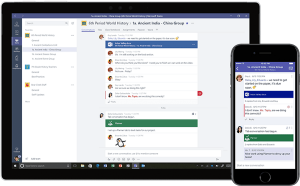
We successfully completed a complex project that included migrating files from 2 DFS-synchronized structures to Microsoft 365 and implementing Microsoft Teams for 74 users in parallel. The project was prepared over the course of 1 month to precisely map the file architecture and ensure uninterrupted operation. The implementation took place in 10 working days and included the following:
- Migration of 1.76 TB of file data from a local DFS environment to Microsoft OneDrive and SharePoint Online with careful preservation of the file hierarchy, access rights, and historical versions
- Analysis and restructuring of shared folders consistent with the client’s business logic to achieve clarity and easy access in the cloud
- Creation of 8 Microsoft Teams configured by department and project team containing standard, personal, and shared channels, integrated file libraries, and ToDo lists, as well as internal communication rules and approvals
- User training and documentation covering best practices for working with Teams and OneDrive
- and an improved cloud-based collaboration structure offering higher visibility, control, and growth opportunities
The project concluded with zero incidents, complete customer satisfaction, and a solid foundation for future digital transformation.
We successfully migrated 38 email accounts from an on-premises Microsoft Exchange Server 2013 to Microsoft 365’s Exchange Online platform. The project included:
- Planning and analysis of the current infrastructure, including an assessment of the Exchange server, mailbox sizes, and the network environment
- Transfer of over 938 GB of data, distributed among all users, without loss of information, and with full preservation of structure, metadata, and shared resources
- Configuration of Microsoft 365 accounts, including licensing, access policies, security, and multi-factor authentication (MFA)
- Phased migration with zero downtime — users continued to work without interruption throughout the process
- Post-migration support, including updating Outlook profiles, configuring mobile devices, and assisting with adaptation to the new platform
We implemented the project in 4 working days with minimal workload for the client’s team and full accountability throughout all phases. We demonstrated technical expertise and a strategic approach to modernizing the IT environment, focusing on security, reliability, and sustainability.
iTeOn has taken an important step toward information security by fully implementing Microsoft Sensitivity Labels. The project aimed to automate the classification, restriction, and protection of sensitive information in accordance with internal policies and external regulations, thereby ensuring control over such information within the organization. The main activities included:
- Analysis of sensitive data types and internal workflows to define labels corresponding to real operational needs (e.g., Internal, Confidential, Management Only
- Configuration of sensitivity labels in Microsoft Purview with automated actions such as document encryption, forwarding and sharing restrictions, and access log maintenance
- Attaching labels to files in OneDrive, SharePoint, and Teams with policies for automatic application depending on content or location
- Integration with Microsoft Defender for Cloud Apps for advanced threat management, data loss prevention (DLP), and shadow IT monitoring
- Training of key users and administrators, including documentation of processes and best practices
The result is that the organization now has a clear, flexible, and sustainable data classification and protection structure that grows with the business and guarantees peace of mind when working with sensitive information, both internally and when communicating with partners.
In two days, we migrated 24 email accounts, totaling 387 GB, and their accompanying files from Google Workspace to Microsoft 365. The project included:
- Email migration from Gmail to Exchange Online with full preservation of the correspondence history and structure
- Transfer of files from Google Drive to OneDrive for Business with maximum accuracy, consistency, and accountability for each user
- Smooth transition without workflow interruption with prior coordination and communication with all users
- Post-migration training and assistance to ensure full utilization of the new environment from day one
Each step was carried out according to a clearly defined plan using automated tools and direct technical support. We achieved zero downtime and zero data loss, resulting in high customer satisfaction. This project is further proof that migrations can be fast, secure, and painless when performed by the right partner.